Best Demo Software for Sales and Presales Teams

Sales demo software is a category of tools that lets sales and presales teams build, personalize, and share interactive product demonstrations without requiring engineering support for every demo.
The goal is to scale personalized demos across the full funnel, reduce repetitive SE work, and give buyers a self-serve way to explore your product.
TL;DR: Best Sales Demo Software
- Navattic – Best for sales teams that want to use demo automation, agentic demos, and sandbox demos across their sales cycle
- Consensus – Best for personalized video and click-through demo flows by buyer role
- Storylane – Best for quick screenshot or video demos with AI-assisted creation
- Walnut – Best for high-level demo customization for ABM campaigns
Who is demo software for?
- AEs (Account Executives): need self-serve leave-behinds and personalized follow-ups that keep deals moving between calls
- SDRs: need async, top-of-funnel demos to include in outbound sequences before a rep ever gets on a call
- Solution Engineers (SEs): need sandbox or live-call environments and repeatable demo builds that don't require engineering support
- Sales and Presales Leaders: need analytics, CRM integration, and a platform that scales across a growing team
What is the difference between interactive demos, demo automation, and agent demos?
Demo software can encompass a few different types of tools. These three terms get used interchangeably, but they mean different things:
Interactive demo
A self-guided, clickable walkthrough of your product that a prospect explores on their own.
Primary use cases: website embeds, demo centers, and email links.
Demo automation
The broader practice of using interactive demos throughout the sales motion to remove manual steps from the buying process.
Primary use cases: pre- and post-call leave-behinds, async follow-up, and partner enablement.
Read more in our full guide to demo automation.
Agent demo
An AI demo agent that interacts with prospects, understands their intent, interprets questions, and navigates through your product and content in real time.
Primary use cases: always-on website demos and qualifying inbound traffic without a rep.
Most sales demo software today spans more than one of these categories; the tools below vary in how deep they go on each.
What to look for in sales demo software
- Ease of demo creation: Look for intuitive capture tools and no-code editing that let you build demos in minutes.
- AI-assisted features: Evaluate AI capabilities like auto-generated copy, voiceovers, and avatars.
- Analytics depth: Prioritize tools with engagement tracking, viewer identification, and CRM integration for actionable insights.
- CRM and tech stack integrations: Ensure the platform connects with your existing tools (Salesforce, HubSpot, Slack, etc.).
- Demo type flexibility: Consider whether you need interactive click-through demos, sandbox environments, video demos, or a combination.
- Team scalability: Make sure the platform supports permissions, roles, and demo libraries that stay organized as your presales team grows.
- Support for agentic demo formats: Check whether the tool supports AI-driven, conversational demos in addition to static click-throughs.
Where is sales demo software most valuable?
According to our State of Demo Automation report, sales demo software works best to:
- Reduce repetitive harbor demos: SEs spend more than 10 hours/week on repetitive, early-stage demos. 94% of SEs report conducting repetitive demos at least sometimes
- Expand the buyer circle: Multiple stakeholders need to see the product before a purchase decision, with deals taking an average of 3 demos to close. By sending an async demo, you can see who is involved earlier in the sales cycle.
- Shorten sales cycle: Demos need to work async (leave-behinds, outbound) to speed up sales. The average sales cycle is 6 months, while deals with automated demo touches close 19 days faster.
- Maintain demo environments: Live demo environments are unstable or require engineering to maintain, and only 39% of SE teams have dedicated demo engineering resources
Compare the Best Demo Software for Sales and Presales Teams
Below, we run through six of the top sales demo tools worth evaluating right now, sharing what they're best for, pros and cons, and pricing.
| Tool Name | Best For | Key Feature | Pricing |
|---|---|---|---|
| Navattic | Sales and SE teams automating demos across the full sales and SE motion | Modular, reusable demo flows for discovery, live calls, and follow-ups. | Free plan; $500–$1,000/mo; custom enterprise |
| Consensus | Sales teams personalizing video and click-through demos by buyer role | Video demo flows with buyer insights and analytics. | $600/mo; $1,250/mo; custom pricing |
| Storylane | Teams building fast, AI-assisted screenshot and video demos | Quick, clickable product tours with optional video or narration. | Free plan; Starter $40/mo; Growth $500/mo; Premium $1,200/mo; Enterprise custom |
| Walnut | Companies personalizing demos for ABM campaigns | Personalized demo templates and flows for account-based selling. | Ignite $750/mo; Accelerate $1,550/mo; Scale custom quote |
| Demostack | SE teams that need realistic, repeatable sandbox environments | Controlled, sandboxed live environments with analytics and permissions. | From ~$2,750/mo (custom enterprise) |
| Reprise | Large presales teams running guided tours and live overlays | Sandbox environments for technical POCs and realistic data demos. | From ~$2,620/mo (custom enterprise) |
1. Navattic: Best for Automating Demos Across the Full Sales and SE Motion
Best for: Sales and SE teams that want to automate interactive or agentic demos, personalize early-stage sales experiences, and share demos across the funnel
Outcome: AEs and SEs send personalized demos at every stage of the deal without waiting on engineering support. Unlike Demostack and Reprise, which focus on cloned sandbox environments for live calls, Navattic combines self-serve interactive demos, demo automation, and agentic demos in one platform.
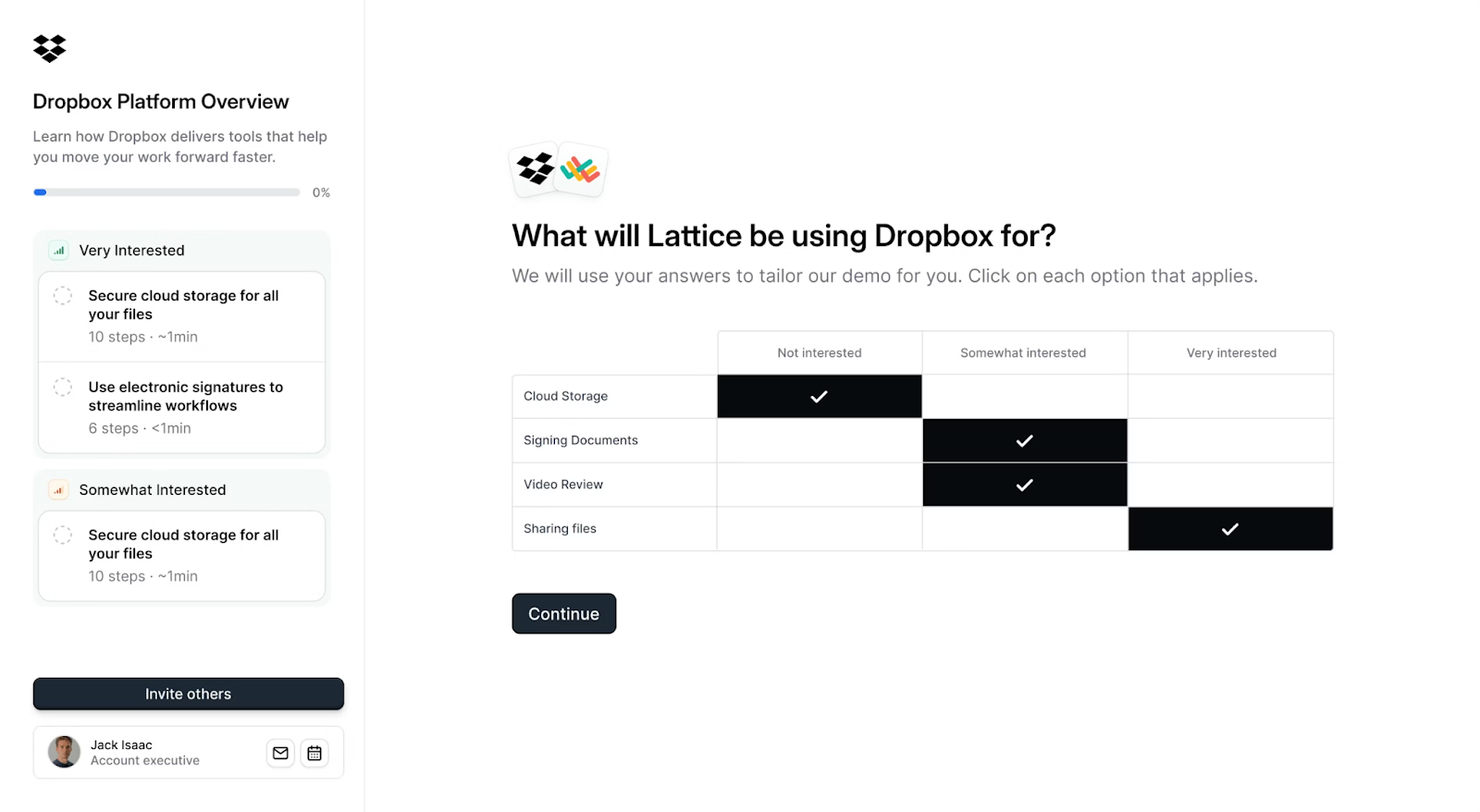
SEs can use Navattic’s demo automation software to understand their prospects’ interests before a live call, share the right demo at the right stage, surface stakeholder activity, and reduce repetitive demos.
“It's a very intuitive system that takes us 15 minutes on average to create custom walkthrough content,” says one G2 user. “With past tools I’ve used, it would take hours to build out demos. This saves our SEs so much time.”
AI Features
- AI Copilot, which writes demo copy, anchors tooltips, and crafts a demo story. Other AI features allow users to quickly update, polish, and repurpose their demos using natural language.
- AI Voiceovers and Avatars that guide your visitors through a more personalized experience.
- Navattic Agents consist of agentic demos, website agents, and qualification agents that interact with prospects, understand their intent, interpret questions, and navigate through your product and content in real time.
What Users Like
- Multi-purpose demos across sales, enablement, and internal education. “I want to mention all the different ways I can use it to support our business, from sales enablement to internal education to conferences and now even POCs. I use it absolutely every day, and my work is essentially Navattic.” (G2 Review)
- Strong analytics. “Tracking and analytics is in-built, and the embed capabilities make it super flexible for all our needs. This product helped us get a huge uptick in live demos and has become a primary asset for sales and marketing.” (G2 Review)
- Early-stage demo sharing and stakeholder visibility. “Navattic makes it easy to create interactive demos for all the types of demos I use in my pre-sales roles. My Navattic demos can be as simple or as sophisticated as needed to be most effective. The UI is our actual product UI. I used to spend 10x more time to create videos of my product demos.” (G2 Review)
What Users Don’t Like
- Demo vocabulary takes time to get used to. “Getting used to the terminology takes some time, and building the first demo can be a bit tedious.” (G2 Review)
- Managing large demo libraries requires discipline. “Occasionally, making updates across multiple demo flows can feel manual, and more dynamic or modular editing options would help scale faster.” (G2 Review)
Pricing
We have 4 pricing plans at Navattic (including a freemium plan):
- Starter (free) gets you 1 seat, 1 demo (HTML or media), unlimited demo views, basic analytics, default theme, and Starter Copilot (generate, custom context).
- Base, at $500 per month, gets you 5 seats, unlimited HTML demos, Salesforce, Marketo, and 25+ other integrations, account identification, sandbox demos, A/B testing, a dedicated CSM, and Base Copilot (prompt & review, upload, media edits).
- Growth, at $1,000 per month, gets you 10 seats, sales integrations (Gong, Salesloft, Outreach, Gmail, Outlook, and more), interest level demos, buyer circle discovery, demo translation, custom domains, SSO and directory sync, and Growth Copilot (AI avatar cloning, MCP suggested demos).
Enterprise plans get you offline demos, HTML capture translation, audit logs, priority support, professional services, and expert demo consultations. Talk to sales for pricing.
2. Consensus: Best for Personalized Video and Click-Through Demos by Buyer Role
Best for: Automating product demos with personalized video and click-through flows
Outcome: Sales teams send role-based video and click-through journeys that keep messaging consistent across reps. Compared to Navattic, Consensus leans more heavily on video-first demo paths rather than HTML/CSS interactive builds.
Consensus automates personalized videos, interactive demos, and simulated environments by buyer role.
You can even combine all three to create dynamic, customized branching journeys for each prospect via a single link.
AI Features
- AI-powered demo paths based on video content or natural language prompts. You can bulk edit fields and branding as well.
- AI Agents that can surface insights on which demos would be best to send to specific prospects.
What Users Like
- Scales presales without sacrificing quality. “Buyers get role-based, interactive demos they can self-serve. It keeps our story consistent across reps, reduces repeat live demos, and shortens cycles by aligning multiple stakeholders before the formal call.” (G2 Review)
- Strong buyer intent insights. “Seeing who watched what, for how long, and where interest spikes makes follow-ups far more targeted and useful.” (G2 Review)
- Reduces repetitive live demos. “Consensus helps me get video demos out to prospects and allows me to provide information in a more ‘human to human’ way by recording videos. It helps speed up the sales cycle and helps open doors to new contacts you may not have had access to.” (G2 Review)
What Users Don’t Like
- Initial setup requires thoughtful planning. “One thing I dislike about Consensus is that it can take a bit of time to set up properly at the start. There is a learning curve when creating demos and getting everything organized, especially for new users.” (G2 Review)
- Clunky demo management. “Another area that could use enhancement is the orchestration of demo boards. Currently, I'm required to download and re-upload individual videos when crafting standard or advanced demo boards, which can be quite time-consuming and repetitive. Ideally, having a central video library to drag and drop files into the desired sequence for demos would streamline this process and make it more efficient.” (G2 Review)
Pricing
Consensus has 3 pricing plans:
- Starter, which starts at $600 per month. It includes access for 5 users, video demos, product tours, Lite AI content studio, marketing analytics, and a Chrome Extension.
- Pro, which starts at $1,250 per month. It includes access for 10 users, video demos, product tours, Pro AI content studio, embeddable marketing links, personalized sales links, sales analytics, and API access.
- Custom, which includes video demos, product tours, and simulations, SSO, a channel partner portal, dedicated CSM support, and marketing, sales, and enterprise analytics. Talk to sales for pricing.
See our comparison landing page to learn more about Navattic vs Consensus.
3. Storylane: Best for Fast, AI-Assisted Screenshot and Video Demos
Best for: Companies that want to build quick screenshots or video demos with AI-assisted creation
Outcome: Marketing and sales teams spin up their first interactive demo in hours instead of days. Compared to Navattic, Storylane is more self-serve and budget-friendly at lower tiers, but charges extra for HTML demos and deeper CRM integrations.
Storylane allows its users to build interactive demos and Hubs (personalized deal rooms), and deploy “RepX,” an AI sales agent, to help with account qualification.
AI Features
- RepX, an AI sales agent, handles product conversations, qualifies leads, and hands them off to reps. You can choose from a range of personalities and define specific goals to create on-brand experiences.
- You can add AI Avatars and Voiceovers to your interactive demos and use natural language prompts to edit HTML elements.
What Users Like
- Extremely fast setup. “We were able to create our first interactive demo within hours, not days.” (G2 Review)
- Reduces reliance on live demos. “The ability to guide users through a product flow (without needing live calls for everything) has improved our lead engagement and made it simpler for prospects to understand value fast.” (G2 Review)
- Strong autonomy for marketing teams. “The customization options for both text and images are flexible, making it simple for me and the marketing team to create engaging content. Integration and implementation were straightforward.” (G2 Review)
What Users Don’t Like
- Analytics depth. Users say things like, “The analytics could be improved, and I would really appreciate having access to more detailed demo viewer information, ideally with enriched data” (G2 Review) and “I haven't yet figured out how to filter down to just lead captures quickly. I’d love it if I could get an email every time a lead is captured rather than going back in to check,” (G2 Review)
- Complaints about the integration. Users say things like, “Integration with CRM systems would also be a valuable addition,” (G2 Review) “Improvement can be made around powerful integration with Hubspot and adding more insights to it,” (G2 Review) and “I would appreciate it if the HubSpot integration could offer the same features as the Storylane Chrome plugin.” (G2 Review)
- Pricing jumps between lower and higher tiers. Extra seats on the Starter plan are $50 each; extra seats on the Growth plan are $100 each. “The main downside for us is the pricing gap between the lower and higher tiers.” (G2 Review)
Pricing
Storylane has 5 different pricing plans:
- Free, which only comes with 1 seat. Users can create 1 published demo, with unlimited views, plus use the AI suite, basic analytics, and Slack integration.
- Starter, which starts at $40 per month. 1 user can: create unlimited screenshot and video demos, use the starter AI suite, include demo chapters, integrate with HubSpot and Zapier, invite demo collaborators, and export analytics.
- Growth, which starts at $500 per month. 5 users can: create screenshot, video, and HTML demos, personalize demos, run A/B tests, use the help of a dedicated CSM, and build custom lead forms. There is a paid add-on available for Hubs (buyer deal room).
- Premium, which starts at $1,200 per month. 10 users can: create screenshot, video, and HTML demos, use SSO, whitelabel demo URLs, work with dedicated support, and access all of the sales features (Hubs, deal intelligence, offline demos, customer presenter seats).
- Enterprise, which includes screenshot and video demos, HTML demos, Hubs, sandbox demos, enterprise AI suite, enterprise security, multi-teams, private demo links, and API. Talk to sales about pricing.
See our comparison landing page to learn more about Navattic vs Storylane.
4. Walnut: Best for Personalized ABM Demo Campaigns
Best for: Companies that want high-level demo customization for ABM campaigns
Outcome: AEs personalize a single demo template for dozens of ABM accounts without rebuilding it from scratch. Compared to Storylane and Navattic, Walnut leans further into account-based personalization and digital sales rooms rather than pure click-through demos.
Like Storylane, Walnut offers both interactive demos and personalized digital sales rooms where you can share content (case studies, use cases, demos, videos) and track buyer engagement across the deal cycle.
AI Features
- “StoryCaptureAI,” which creates your story for you, based on the captures you take with the Walnut Chrome Extension.
- AI Mode, which lets you style, edit, and personalize existing demos with natural language prompts.
What Users Like
- Saves time and reduces repetitive demos. “I can set up the demo differently for all my prospects and not have to remake the whole thing. That helps me save a lot of time since I may do many demos in one day.” (G2 Review)
- Strong CRM context. “Its connection to such tools as Salesforce makes its deal context transparent.” (G2 Review)
What Users Don’t Like
- Pricing jumps between tiers. “Finally, the pricing structure and upfront commitment were significant; with no free trial or monthly plan available, the investment felt substantial before we could fully evaluate the platform’s fit.” (G2 Review)
- Poor organization. “Walnut is very difficult to use because there are no folders, and all information is dumped into one large pile. I dislike when the slides distort, and then I have to re-upload them three times to get the font to display normally.” (G2 Review)
- Maintenance overhead. “It may slow me down during the busiest weeks when I have to keep my demos updated. Those delays accumulate since I use it often and at great frequency. The execution involved coordination with several teams, and this affected momentum.” (G2 Review)
Pricing
Walnut has three pricing tiers:
- Ignite, which starts at $750 per month. Comes with 3 editor seats, unlimited demos, AI-powered demo creation, a choose your own adventure Playlist, demo analytics & engagement tracking, integration with HubSpot and Salesforce.
- Accelerate, which starts at $1,550 per month. Comes with 5 editor seats, 5 presenter seats, sandbox demos, prospect personalization, video overlays, AI-powered insights, Walnut Uncover, SSO & SCIM, a dedicated CSM, 10 strategic onboarding & optimization hours.
- Scale, which requires a custom quote. Comes with a white-labeled brand experience, advanced translations, dedicated strategic CSM, white-glove professional services, and QBRs.
5. Demostack: Best for Realistic, Repeatable Sandbox Environments
Best for: SE teams that need realistic, repeatable demo environments
Outcome: SEs run live, hands-on demos in a cloned sandbox without risking bugs in the real product. Unlike Navattic and Storylane, which are built for async, self-serve demos, Demostack is purpose-built for live-call sandbox environments.
Demostack lets users create product demos, sandboxes, and tours.
The company specializes in cloning live systems into safe demo environments (sandboxes). These can be tailored to prospects’ needs and shared with the entire buying committee.
AI Features
- AI Data Generator, which lets you customize your sandboxes to fit every segment of your ICP with realistic fake data.
What Users Like
- Fast cloning and setup. “Cloning, editing, and building assets is fast, intuitive, and efficient.” (G2 Review)
- Strong team support. “I also always get quick and helpful support from the team and I feel like our input has value to them.” (G2 Review)
What Users Don’t Like
- Ongoing maintenance. “It captures your product at a specific moment in time, so any updates or changes made to the actual product necessitate recreating all existing clones from scratch.” (G2 Review)
- RBAC limitations. “There are a few user management things that could be a little better. I'm talking sort of more role-based access control or RBAC. I want to be able to restrict users to specific workspaces and also get more information about who’s been logging in. It would help us clean up our user list and identify users who haven’t been using the system, say, in the last couple of months.” (G2 Review)
- Performance issues on some devices. “Performance on different computers. Macs obviously work well in the desktop application. However, we are running into some issues with our Windows laptops.” (G2 Review)
Pricing
Demostack does not have public pricing.
You can request a custom quote based on your company size and what you’re looking for (sales discovery demos, sandboxes, partner training, etc.). Per Vendr, the median Demostack buyer pays $32,960 per year.
6. Reprise: Best for Large Presales Teams Running Guided Tours and Live Overlays
Best for: Large presales teams that need scalable, controlled demo environments and guided tours
Outcome: Large presales orgs centralize guided walkthroughs, live overlays, and sandbox demos in one system with a single source of truth. Compared to Navattic, Reprise supports more demo formats out of the box but comes with a steeper learning curve and enterprise-level pricing.
Reprise enables reusable, controlled demos without engineering dependency.
In the platform, users can build three kinds of demos: guided walk-throughs, live overlays, and cloned sandbox environments, and store them all in one centralized location.
AI Features
- Reprise Reveal, which lets you create and inject customer data into your demos with the Reveal Chrome Extension. You can also make fast, no-code edits to images, text, and logos in bulk.
What Users Like
- Empowers non-technical teams. “We were able to implement Reprise with a single administrator and builder.” (G2 Review)
- Consistent demo storytelling. “It allows me to communicate via storytelling very difficult and complex environments and use cases. The ability to then take all of these tours and use them to tell my stories with ‘one voice’ has been vital to internal communications and sales support.” (G2 Review)
- Strong presales scalability. “Reprise from a solution perspective allowed Presales to enable more people to confidently speak to and demonstrate our solutions. This scale empowered more people at a major conference to have productive & engaging conversations with customers, increasing conversion rates.” (G2 Review)
What Users Don’t Like
- Initial learning curve. “The learning curve can feel steep at the beginning, especially when setting up complex demos that require advanced configurations.” (G2 Review)
- Performance issues with large demos. Users say things like, “It’s lagging when it’s a long demo with more than 15 screens” (G2 Review) and “Occasionally, there are performance issues with larger demos, and analytics could be more robust to provide deeper insights into user interactions.” (G2 Review)
Pricing
Reprise also does not display pricing publicly, which means you’ll need to schedule time with a rep. According to Vendr, the median buyer pays $31,438 per year.
See our comparison landing page to learn more about Navattic vs Reprise.
Turn demos into deals.
Build interactive product demos that engage buyers and close deals faster.