The 6 Best Demo Automation Tools

When every prospect expects a personalized product experience, building and maintaining video or live demos can get unsustainable fast.
Demo automation tools enable presales teams to create a library of automated interactive product experiences at scale that reps can mix and match.
Beyond internal efficiency, demo automation shortens your sales cycle. Deals with automated demos close 19 days faster and have a 6% higher win rate.
When buyers can explore your product on their own or watch SEs and reps walk through a highly realistic simulated environment, they get a sense of how your product works and whether it will meet their needs.
But not all demo automation platforms are created equal.
Below, we share what to look for when evaluating one of these platforms, the six top tools on the market, and implementation best practices.
The 6 Best Demo Automation Tools at a Glance:
- Navattic: For solution engineers and sales teams using automated and agentic demos throughout the sales cycle
- Reprise: Technical presales and sales teams that need dynamic live demo environments
- Supademo: Teams needing quick, clear visual documentation and interactive guides without heavy tooling
- Walnut: Sales teams that need tailored demos with controlled product storytelling
- Storylane: PLG companies and SaaS teams that need lightweight guided walkthroughs
- Consensus: Automating product demos with personalized video and click-through flows
What to Look for in Demo Automation Tools
As you start evaluating different demo automation platforms, here's a checklist of key criteria:
- HTML capture support: Allows prospects to interact with realistic product workflows, not just static screenshots or videos
- Personalization capabilities: Variables, visitor inputs, and branching logic to tailor demos to specific use cases
- AI and agentic capabilities: Use AI to help speed up and polish demo building, or create an entirely agent-led demo
- CRM and analytics integrations: Flow visitor data directly into your sales tools and measure demo-to-revenue impact
- Library management: Centralized storage with tags, version tracking, and access controls
- Security controls: Form gates, password protection, and one-on-one links to control demo access
1. Demo Formats
Some tools focus on simple screen captures or videos. But those don’t really represent how your product actually works.
The best interactive demo software allows for full HTML captures that mimic real product workflows and allows you to edit your product demo data.
Your prospects might be going through your demos on the go, so make sure your demo automation software supports multi-device and mobile demos.
The four main types of demo formats are:
- Self-service interactive demos that prospects explore at their own pace
- Video content that walks prospects through key workflows and value moments
- Sandbox / cloned demo environments for live SE-led calls
- Agent Demos that guide and qualify prospects, answer their questions, and show off product flows in real time.
Agent demos sit between self-serve tours and full SE-led demos, serving buyers who want more than a tour but aren't yet ready for a live call.
Or for SMB or international leads not currently getting sales or SE calls. As, Alex Farman, AI strategy consultant at HiBob recommends:
“SMBs are the perfect environment for agentic demos because they tend to value speed and innovation. High volumes of leads allow us to iterate rapidly, and unlike legacy enterprises, these buyers are typically more agile and open to evolving their workflows with AI.”
2. Personalization and AI Capabilities
If you want your demos to stand out, you’ll need tools with built-in personalization features.
That way, each prospect sees a version of your demo(s) that best matches their specific use cases and priorities. Personalization can happen in a variety of ways, based on:
- Variables from your marketing platform (first name, job title, etc.)
- Inputs from visitors through a gate
- Branching logic tailored to different segments of the ICP
Even better if your demo automation software has AI features like automatic translation or auto-generated voiceovers and avatars to add an even more personal touch.
3. Integrations and Analytics
Visitor information should flow directly into your CRM and marketing automation platform. Then, ideally, straight into Gmail or Slack.
That way, your reps are made immediately aware of:
- New visitors who went through your demo
- How many steps they went through
- Where they spent the most time
Not only will that data help sales teams tailor their outreach, it’ll also help you connect demo views to lead conversion (and eventually, revenue).
4. Scalability and Library Management
The whole point of demo automation is to speed up the process of creating, updating, and sharing interactive and sandbox demos.
But if you can’t even find the demos you or your teammates made, that defeats the whole purpose.
Look for a demo automation platform that stores all of your demos in one place and lets users easily search for specific types of demos via tags for use case, industry, or product feature.
It should also have:
- Version tracking, so users can tell which demos reflect the current look and feel and feature set
- Usage data, to identify high-performing demos and apply those patterns elsewhere
- Access controls, so teams can restrict editing or sharing based on role
5. Demo Sharing and Security
Demos should be easy to share and easy to control.
That means being able to add form gates (so competitors can’t see your demo) and one-on-one-only links (so certain stakeholders can see your demo). Some demo platforms even let you password-protect your demos and ensure that only specific recipients see your demo.
This is especially critical if you plan to share demos that show unreleased features or sensitive data you don’t necessarily want others to see.
Comparing the Top 6 Demo Automation Tools: Navattic, Reprise, Supademo, Walnut, Storylane, and Consensus
Navattic
Our demo automation software lets prospects access the product earlier in the sales cycle through shareable, modular interactive demos, custom sandbox demos, or agentic demos.
Most demo software covers two modes: self-serve product tours (top of funnel) and SE-led live demos.
Navattic Agents fills the gap in the funnel between them by giving prospects an agentic demo to explore after seeing a product tour, and further qualifying them before having an SE join the call.
As one G2 reviewer put it, “Navattic makes it easy to create interactive demos for all the types of demos I use in my pre-sales roles. I used to spend 10x more time creating videos of my product demos. With Navattic, it’s a snap to implement!”
Use case: Mid-market and enterprise sales teams needing realistic, customizable demos to reduce live demo load.
Pros
- Quick way to make sandbox demos. Users say things like, “Configuring a live sandbox environment for a specific customer is a time-consuming process, while Navattic allows me to simply copy/paste from a previous demo and change a few key fields to make the process simple.” (G2 Review)
- Multi-purpose. Customers can use demos across their entire sales cycle. According to one customer, "I want to mention all the different ways I can use it to support our business, from sales enablement to internal education to conferences and now even POCs. I use it absolutely every day, and my work is essentially Navattic.” (G2 Review)
- AI Copilot writes demo copy, anchors tooltips, and crafts a demo story. Other AI features allow users to quickly update, polish, and repurpose their demos using natural language.
Cons
- May require initial setup time for advanced customizations. “Customization options, especially for mobile responsiveness, are somewhat limited compared to competitors, and the editing interface could be smoother.” (G2 Review)
- Terminology takes some getting used to. “Getting used to the terminology takes some time, and building the first demo can be a bit tedious.” (G2 Review)
Pricing
We have 4 pricing plans at Navattic (including a freemium plan):
- Starter (free) gets you 1 seat, 1 demo (HTML or media), unlimited demo views, basic analytics, default theme, and Starter Copilot (generate, custom context).
- Base, at $500 per month, gets you 5 seats, unlimited HTML demos, Salesforce, Marketo, and 25+ other integrations, account identification, sandbox demos, A/B testing, a dedicated CSM, and Base Copilot (prompt & review, upload, media edits).
- Growth, at $1,000 per month, gets you 10 seats, sales integrations (Gong, Salesloft, Outreach, Gmail, Outlook, and more), interest level demos, buyer circle discovery, demo translation, custom domains, SSO and directory sync, and Growth Copilot (AI avatar cloning, MCP suggested demos).
Enterprise plans get you offline demos, HTML capture translation, audit logs, priority support, professional services, and expert demo consultations. Talk to sales for pricing.
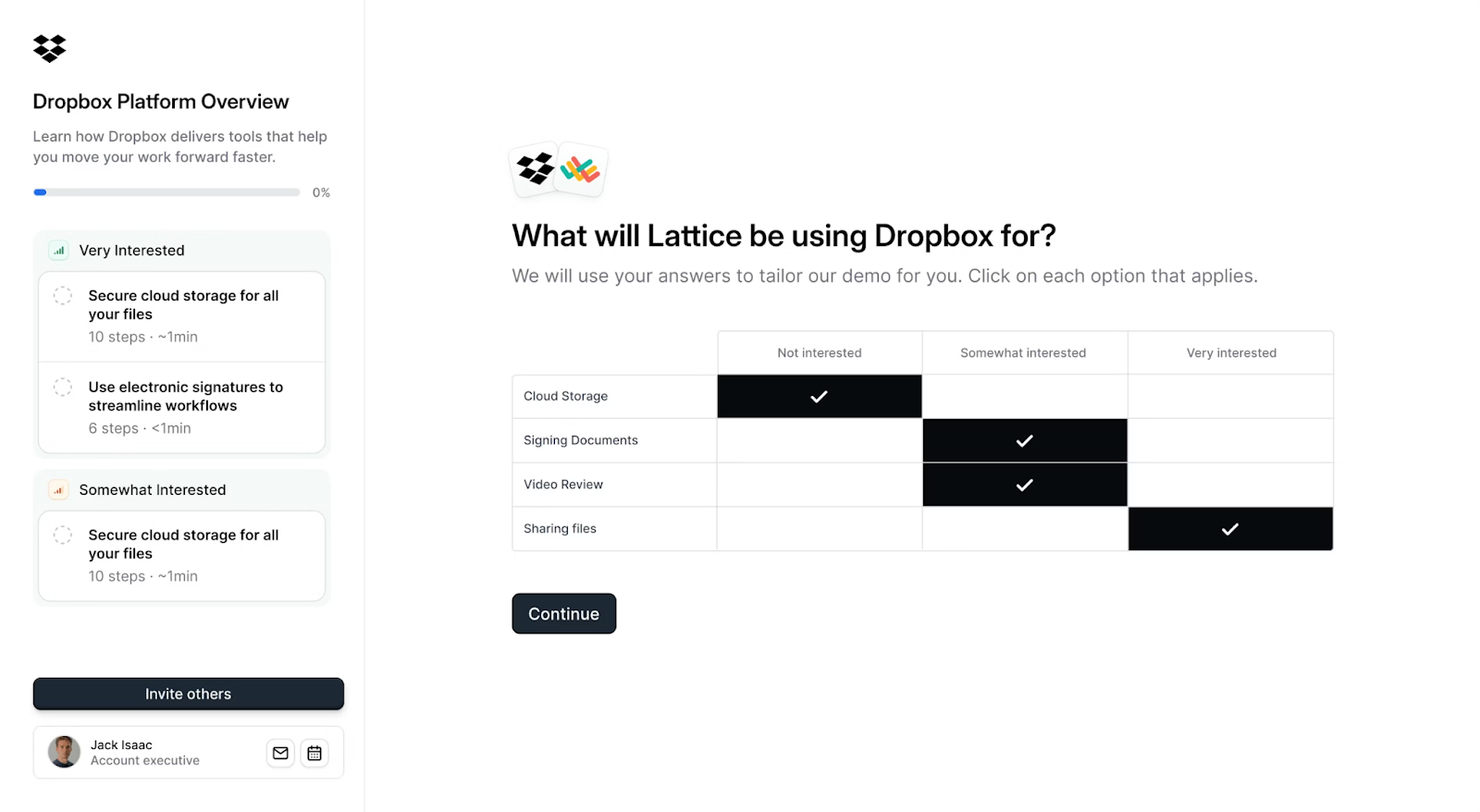
Try an interactive demo of Navattic Launchpad
Reprise
In Reprise, users can create live overlay, cloned demo environments, and scripted product demos.
Use case: Ideal for technical presales and sales teams that need self-serve and dynamic demos in their workflow.
Pros
- Flexible demo templates with strong collaboration features. “Reprise makes it easy to create customized, interactive product demos without heavy engineering effort.” (G2 Review)
- Robust AI features. Use AI to fill an empty sandbox environment with custom data, directly edit HTML, CSS, and Javascript, and identify potential content updates, including anonymization for detected PII.
Cons
- More technical with a high learning curve, leading to slower adoption. “The learning curve can feel steep at the beginning, especially when setting up complex demos that require advanced configurations.” (G2 Review)
- Bugginess. Several users say things like, “The rendering sometimes is glitchy. Also, the handling of image screen imports has a somewhat clunky interface,” “In some cases, it can be a little bit buggy but the support team is very helpful,” and “Sometimes Reprise captures blank white screens, the screen pop-up are also misplaced when captured.”
Pricing
Reprise doesn’t have public pricing. You have to fill out their contact form to get a quote.
According to Vendr, the median contract is $28,000. Reprise’s website also says that pricing “scales with your team” and “combines a single annual platform fee with flexible, per-user licenses.”
Supademo
Supademo is an AI-powered demo platform with built-in personalization, translation, and voiceovers.
Use case: Ideal for teams needing quick, clear visual documentation and interactive guides without investing in video editing or heavy tooling.
Pros
Ease of use. “What I like best about Supademo is how effortlessly it turns complex workflows into clear, interactive demos.” (G2 Review)
- All-in-one tool. Users can create HTML demos, sandbox demos, “collections” (aka a multi-demo library), screenshot, video, and in-app demo hubs, all from one platform.
Cons:
- Reliability challenges. Users say things like, “The biggest issue I noticed is that the steps are not properly recorded whenever I switch to mobile view on my desktop,” and “The Chrome extension seems to be recording for hours unnoticed, you also do not see yourself when recording another tab (like in Loom), so you have no feedback of what is going on.” (G2 Review, G2 Review)
- No A/B testing. “You’d have to create multiple versions of each demo if you’d like to test concepts. Autosaves are also sometimes hit or miss.” (G2 Review)
Pricing
Supademo has 4 pricing plans:
- Starter, which is free, comes with 5 Supademos, AI text personalization, an in-app demo hub, and link, embed, video, or PDF sharing.
- Scale, which starts at $38 per month, comes with tracking links and analytics, branching, custom grinding, and Supademo AI. Note: Supademo bills per creator, so pricing can escalate quickly if you have more than one GTM team member creating demos.
- Growth, which starts at $350 per month, comes with text, image, and HTML editing, unlimited sandbox demos, white-glove onboarding and training, and AI voice cloning (additional creators are $50 per month each).
- Custom, which includes SSO, SAML, a multi-team workspace, custom data retention, dedicated support, unlimited training and demo audits. It starts at 10 creators, and you have to talk to sales for pricing.
Walnut
Walnut captures your product’s front end with a Chrome extension, then lets you edit and personalize you demo before adding it to a shared library.
A distinguishing feature of Walnut is its interactive deal room, which lets you add videos, decks, docs, and interactive demos to a single platform.
Use case: Sales teams that need tailored demos to remove risk in live environments and support controlled product storytelling.
Pros
- Strong AI personalization and editing features, like AI Mode, which creates persona-specific variants across your demo library. “What I like best about Walnut is that it gives me complete control over my demos without relying on engineering.” (G2 Review)
- InsightsAI, which allows users to ask questions about your demo funnel, deal intelligence, and buyer intent in natural language.
Cons
- Learning curve. Users say things like, “I believe that the initial learning curve could be a bit simpler. Some advanced features require time to fully understand. Additionally, the loading time of the demos is sometimes a bit slow depending on the browser or network,” and “The learning curve for some of its more advanced features was steeper than expected, which meant that it took extra time and training for our team to get fully comfortable.” (G2 Review, G2 Review)
- Editing and element selection can feel slow or clunky. Users say things like, “Customizing very complex or deeply interactive workflows can sometimes be challenging, since it’s still a simulated environment and not a live product,” and “Some captured screenshots don't translate an image into HTML or vice-versa. I’ve had times where I want to add a graphic or change a graphic and it’s actually a graphic in complex HTML.” (G2 Review, G2 Review)
Pricing
Walnut has 3 plans:
- Ignite at $750 a month gets you 3 editor seats, unlimited demos, AI-powered demo creation, a choose your own adventure playlist, demo analytics, and CRM and marketing tool integrations.
- Accelerate at $1,550 a month gets you 5 editor seats and 5 presenter seats, sandbox demos, personalization, video overlays, AI-powered insights, SSO and SCIM, and an advanced Salesforce integration.
- Scale comes with white-labeled branding, advanced translations, white global professional services, and quarterly business reviews. Talk to sales about pricing.
Storylane
Storylane is a no-code interactive demo platform used by GTM teams to create and share screenshot demos.
It has some native features to help build demos quickly, such as AI assist, which enriches voiceovers, translations, and copy.
Use case: Best suited for PLG companies and SaaS teams that need to publish guided walkthroughs quickly and measure adoption at a lightweight level.
Pros
- Lily AI, which guides prospects through your product conversationally with life-like avatars and voiceovers. “It enables us to create top notch demos that are super easy to run, even when the product expert and the client are in completely different locales.” (G2 Review)
- Fast-to-build demos with an intuitive editor and polished outputs. “The learning curve is extremely low, the editor is intuitive, and the final result feels polished and professional.” (G2 Review)
Cons
- Tough to create advanced demos. “While Storylane is great for a quick, simple demo, I feel that more complex demos are less supportive. From what I experienced, there are not a lot of features to leverage. I struggled with a few complex workflows and the content boxes showing up in one place, but it's misleading when trying to move to the next step.” (G2 Review)
- Limited translation. “AI enhance and translation are lacking quality. I have translated from English to German, but the translation is basic and doesn't let me reflect differences in formality.” (G2 Review)
Pricing
Storylane has 5 different pricing plans:
- Free, which only comes with 1 seat. Users can create 1 screenshot and video demo, with unlimited shares and views, plus use the AI suite, basic analytics, and Slack integration.
- Starter, which starts at $40 per month. 1 user can: create unlimited screenshot and video demos, use the starter AI suite, include demo chapters, integrate with HubSpot and Zapier, invite demo collaborators, and export analytics.
- Growth, which starts at $500 per month. 5 users can: create screenshot, video, and HTML demos, personalize demos, run A/B tests, use the help of a dedicated CSM, and build custom lead forms.
- Premium, which starts at $1,200 per month. 10 users can: create screenshot, video, and HTML demos, use SSO, whitelabel demo URLs, work with dedicated support, and access all of the sales features (Buyer Hub, deal intelligence, offline demos, customer presenter seats).
- Enterprise, which includes screenshot and video demos, HTML demos, Buyer Hub, sandbox demos, enterprise AI suite, enterprise security, multi-teams, private demo links, and API. Talk to sales about pricing.
Consensus
Consensus is a primarily demo automation video platform that helps your sales and presales teams reduce the number of unqualified demos.
Users can create product tours, sandboxes, and videos.
Use case: Automating product demos with personalized video and click-through flows.
Pros
- Intuitive and efficient. Users say things like, “Consensus makes it easy to deliver personalized demos at scale,” and “Consensus helps me get video demos out to prospects and allows me to provide information in a more "human to human" way by recording videos.” (G2 Review, G2 Review)
- New “Simulations” feature, which lets users personalize sandbox data and customize datasets with AI prompts.
Cons
- More complex configuration. Users say things like, “The platform can feel a bit complex at first, especially when setting up more advanced demo flows or analytics reports,” and “I would appreciate having more advanced customization options for the demo templates. At times, it feels somewhat limiting when I try to craft a very specific visual experience.” (G2 Review, G2 Review)
- Poor search and demo management. Users say things like, “The lack of a global search feature on the home screen makes it less efficient to locate specific content quickly,” and “The search functionality can occasionally be too literal, making it challenging to find relevant studies if the query isn't perfectly phrased. I sometimes wish for more advanced filtering options beyond what is currently provided.” (G2 Review, G2 Review)
Pricing
Consensus has 3 pricing plans:
- Starter, which starts at $600 per month. It includes access for 5 users, video demos, product tours, Lite AI content studio, marketing analytics, and a Chrome Extension.
- Pro, which starts at $1,250 per month. It includes access for 10 users, video demos, product tours, Pro AI content studio, sales analytics, and API access.
- Custom, which includes video demos, product tours, and simulations, SSO, a channel partner portal, dedicated CSM support, and personalized sales links. Talk to sales for pricing.
Guide to Implementing Demo Automation Successfully
Without a clear process for where you are going to implement demo automation, even the best tools won’t yield much of a return.
Here are the two most common use cases we see for demo automation from our State of Demo Automation Report:
Pre-Call Discovery
Prospects typically connect with an SE after 2 calls. Automated demos can fill this gap by providing early product access and getting more discovery data from them, setting your team up for more success on that first SE-led call.
Benefits:
- Buyers self-qualify and arrive at SE calls with product knowledge
- SEs can skip generic overviews and start with deeper conversations
- Qualification improves as low-fit prospects self-select out earlier
Demos that are sent within the first 14 days of creating a deal have a 72% win rate, compared to 59% for deals without demo touches.
If you are going to send a demo for pre-call discovery, we recommend an interest demo with 3-10 interest areas so prospects can choose what part of the product they want to explore.
Post-Call Enablement
With deals requiring 3 demos on average to close, automated demos serve as follow-up resources to help speed up the sales cycle after the initial SE led demo. They let buyers explore independently, share with stakeholders, and build internal consensus.
Benefits:
- Champions have custom and engaging leave-behind material
- Demo sharing uncovers additional stakeholders
- Technical evaluators have more self-service resources
- The buying committee has reference material they can return to
The average sales cycle (according to survey respondents and our data) is around 5 to 6 months, while deals with demo touches have a sales cycle of around 4 months and close on average 19 days faster. The highest win rate for deals with demos (72%) also occurs when there are 2 to 3 demo touches within the deal.
If you are going to invite multiple stakeholders, make it as frictionless as possible for them to view the demo by only asking for their name and letting them self-register. Also consider personalizing the demo data for that specific person or account.
Want to try demo automation firsthand? Sign up for a free Navattic account.
Turn demos into deals.
Build interactive product demos that engage buyers and close deals faster.