Agentic vs. Interactive Demos

B2B buyers have always done their homework, gathering feedback from peers, reading reviews on G2 and TrustRadius, combing through Reddit.
And now, with AI, they can do comparative research even faster.
A quick prompt in their LLM of choice will give them a solid lay of the land in seconds. Which means, when they come to your website, they already know what your product does and what people think about it.
What they want is to see it with their own two eyes and form their own opinions – without having to engage with sales.
Agentic demos and interactive demos are both excellent ways to give people a more in-depth, self-serve product experience. But it’s hard to know when and where to use each.
Below, we explain the difference between the two, where each fits best in the sales cycle, and what A/B testing reveals about when it makes sense to use each to grow your pipeline.
What’s the difference between agentic and interactive demos?
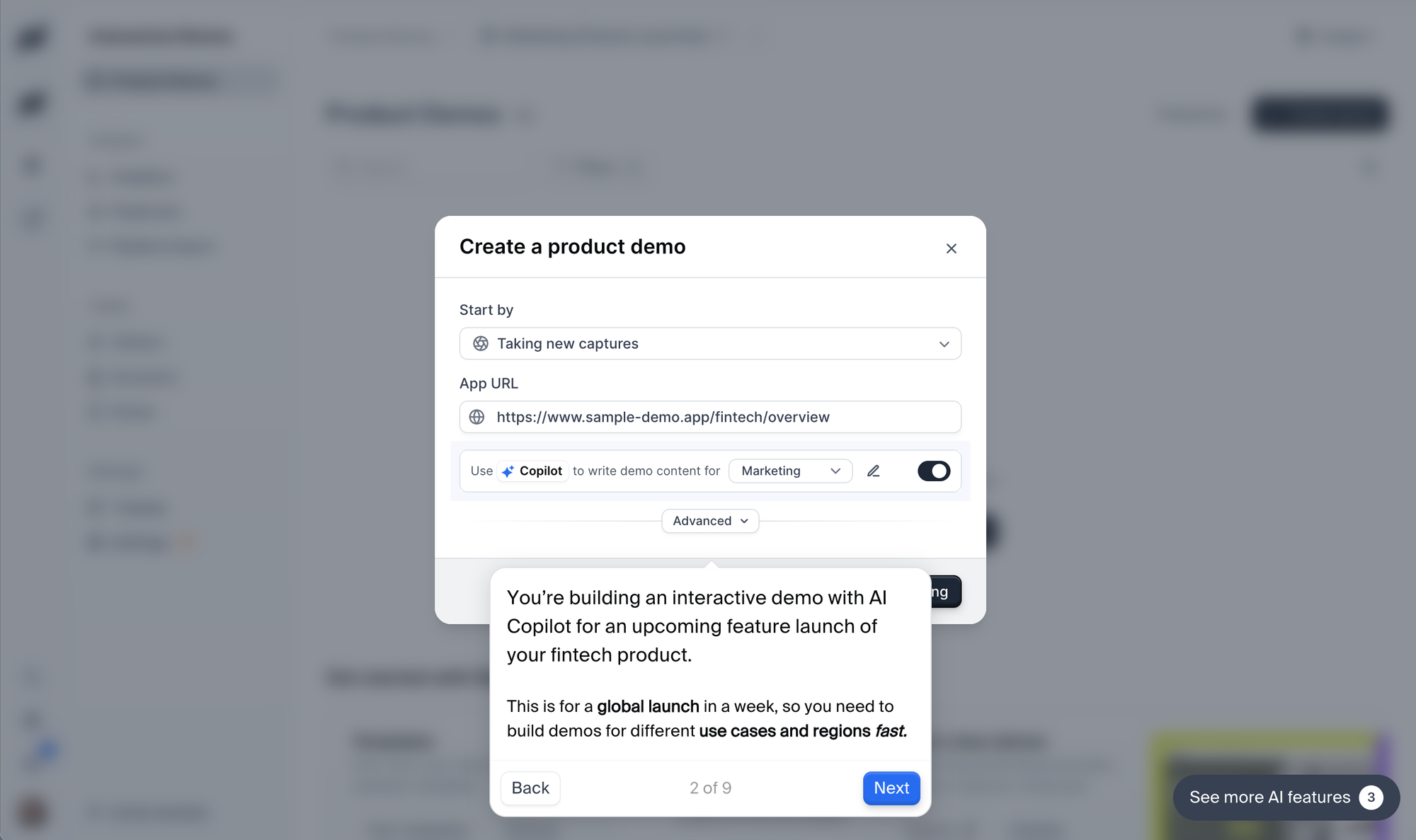
Interactive demos are guided, click-through product tours.
They show a specific part of your product, relevant to a specific persona or scenario, and visitors can follow that set path at their own pace.
In that way, interactive demos give buyers what they want: a more detailed look at how your product works.
Agentic demos make that process more dynamic.
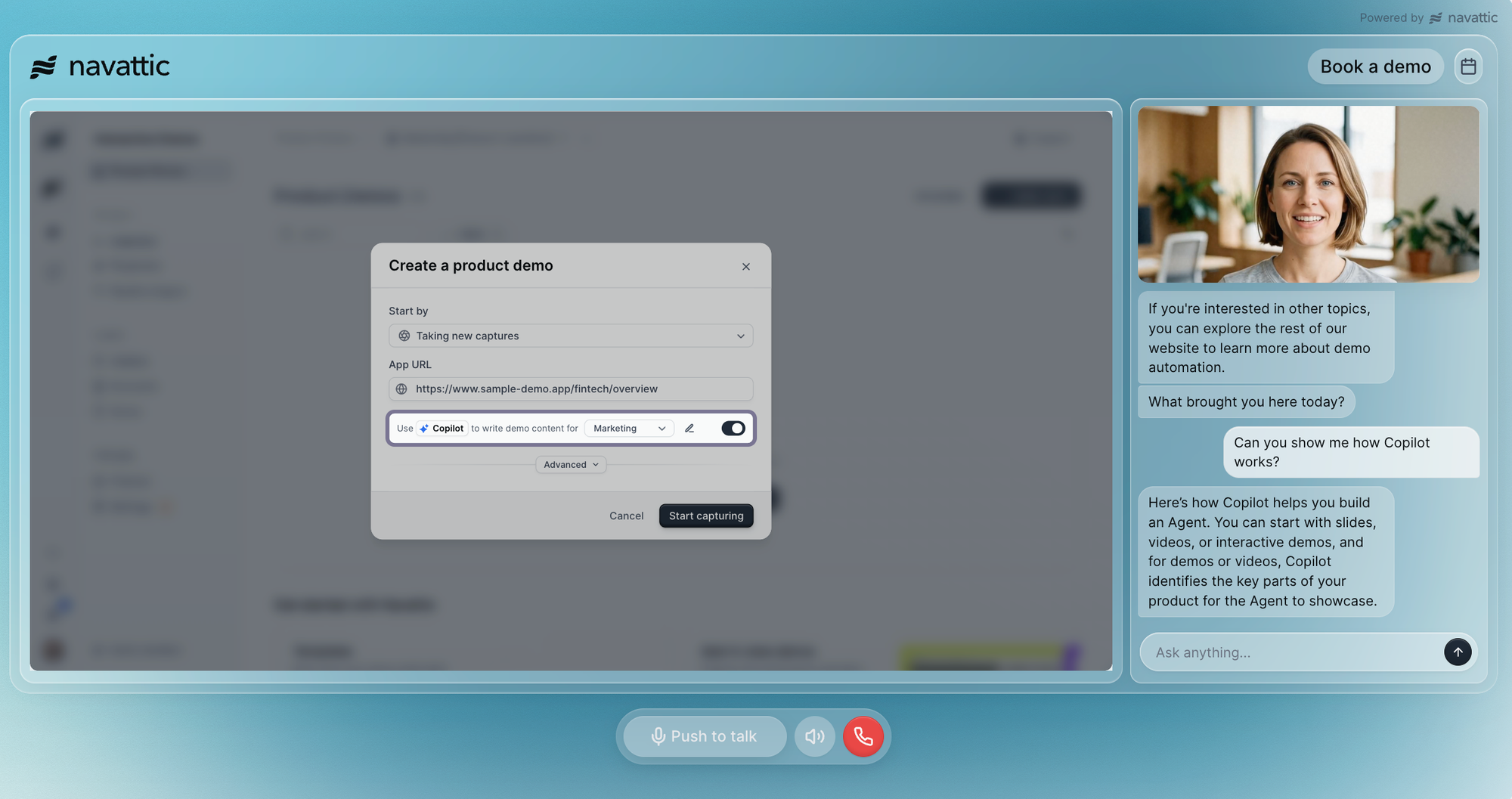
An AI agent trained on your product answers buyer questions in real time, clicking, typing, and scrolling to show how your product addresses the use cases prospects care about most.
As Alex Farman, former AI strategy consultant at HiBob, describes, “An agentic demo is an interactive demo experience which is trained on the product being demoed and can be as versatile as ChatGPT, Claude, or Gemini.”
In that way, agentic demos are a sort of sweet spot between a self-serve tour and a sales-led demo.
Per Randy Frank, CEO of Navattic, “Navattic Agents demos are somewhere in the middle where the prospect is still in the driver's seat. They’re asking the questions.
But at the other end of the call is an agent answering those questions, navigating around the screens showing what matters most for a very customized experience.”
Agentic vs. interactive demos: side-by-side comparison
Here’s a quick look at how the two differ. Before jumping in, though, it’s important to note that both:
- Are no-code, meaning you don’t need the help of an engineering team to put a demo together
- Can be shared via email, embedded anywhere on your website, or added to your docs
- Can be made available to SEs and sales reps in Launchpad to uncover buyer interest
| Agentic demos | Interactive demos | |
|---|---|---|
| Buyer experience | Open conversation | Set path |
| Personalization | Adapts to buyer questions in real time | Variable personalization, such as names, roles, and company logos |
| Setup effort | Feed it existing demo flows, plus your FAQs and knowledge base for the Agent Brain | HTML or media (screenshots, GIFs, videos) captures |
| Qualification signals | Questions buyers ask in their own words | Demo engagement, form fills, CTA clicks |
| Data you get back | Verbatim transcripts that expose knowledge gaps, high intent, and/or specific interests | Unique visitors, steps viewed, time spent per session |
| Languages & availability | All, always-on | Use multilingual demos to configure capture and text translation |
See how an agent compares to an interactive demo:
When to use interactive demos
Interactive demos are ideal for top-of-funnel awareness because they let people get hands-on with your product right away. Here are a few ways customers use them to:
1. Push customers down-funnel
Our customers often create short, specific workflows (just 3 or 4 steps) for ads and product pages to get buyers to an “aha moment.”
In fact, our 2026 State of the Interactive Product Demo research found that flows with 1 to 6 steps have the highest completion rate.
That motivates prospects to engage with other self-serve educational material such as blogs, docs, or additional interactive demos.
2. Promote product launches
Many customers also use interactive demos for product launches to show off a new workflow or integration.
Interactive demos are particularly useful for AI feature launches, where real product behavior can be unpredictable or take a while to load.
3. Capture leads at in-person events
Not everyone has the time to sit for a custom demo at your booth.
But they do have time to scan a QR code and run through a couple-step interactive demo
If you include a short form fill at the top of the demo requesting their name and contact info, you will automatically see how far leads get and what they might be interested in – data that reps can use to follow up and tailor future live demos.
When to use agentic demos
Because agentic demos are more unscripted and conversational, we see them best used as a way to:
1. Deflect live demos
At most companies, SEs and reps just don’t have the bandwidth to do a live demo for every inbound lead.
Putting agentic demos on your website allows any visitor to get a custom demo.
High-intent leads get passed to the GTM team for a more high-touch sales cycle.
And SMB prospects – who might not otherwise get as much attention, but are still great fits for your product – get a tailored experience that nudges them toward one of your smaller plans.
As Alex at HiBob points out, “SMBs are the perfect environment for agentic demos because they tend to value speed and innovation.”
To protect the sales team’s time, Peyton Walbeck, VP of Marketing at Nectar, now deploys the Navattic agent for every demo request smaller than their normal ICP.
2. Provide extra sales coverage
At this point, most software companies have (or want) customers worldwide.
Problem is, your SEs and reps (a) might not be awake to cover those time zones, and (b) may not speak the language.
While they won’t replace an eventual live demo, agentic demos let any prospect get a taste of your product and ask questions, no matter where they live or what language they speak.
Plus, your team will get a download of the conversation, helping them prepare for a more customized live demo later.
3. Get customers or new reps get up to speed faster
Sending an agentic demo in your onboarding emails can help orient new users to your product and get them using it faster – without them having to book a call with an SE or CSM.
On the backend, your team can see what customers are struggling with and reach out with additional resources specific to their goals.
Want more ideas? Read Best Practices for Sales Agentic Demos.
How to use both, and what A/B tests show
Interactive demos and agentic demos aren’t mutually exclusive. Many of our customers use both.
For example:
- They might use an interactive demo for a quick, high-level walkthrough and point users to an agentic demo as the next step.
- They might put a product tour on their homepage and an agent on a more high-intent page, like pricing, to optimize conversion.
Elizabeth Johnstone at Productboard uses Navattic agents as scalable backups for live demos. “They’re great for prospects who are not quite ready to hop on a call with a human.”
And, as you might guess, agentic demos tend to convert better.
Bloomerang, a nonprofit software company ran a 30-day A/B test with an agent replacing its Navattic interactive demos and saw:
- A 113% increase in meetings booked
- $16k more pipeline
To see which performs better for you, we recommend using Navattic’s native A/B testing.
You can split one high-traffic page between an interactive demo and an agent, with no extra tools or code.
Run it for 30 days, compare meetings booked, pipeline, and engaged visitors vs. engaged conversations, and adjust from there.
Want to get a taste of agentic demos yourself? Try an agent today.
Turn demos into deals.
Build interactive product demos that engage buyers and close deals faster.