Should You Gate or Ungate Your Interactive Demo?

At Navattic, we get this question all the time.
And like most tough questions, the answer is, “It depends.”
But we won’t just leave it at that. In this article, we’ll share our thoughts on the pros and cons of gating and walk through our recommendations based on your goals and how you plan to use gated leads.
Pros of form gating
The two biggest benefits of form gating are (1) you know exactly who your leads are and (2) you know those leads are high-intent.
If someone is willing to give up their email, they’re likely interested in your product. And you can send those warm leads straight to sales.
Many of our customers go this route, including EVOLVE, an MEP operation software.
After implementing Navattic on their website, EVOLVE’s VP of Finance saw a huge increase in leads almost immediately, noting: “With Navattic, we nearly doubled our monthly rate of ‘hot’ leads from our website.”
Another secondary benefit is that you can see which parts of the product each named prospect explored. You can leverage this information to personalize email nurture sequences, and AEs can use it to tailor their live sales calls.
However, we do have ways at Navattic to enrich data without gating your demos and see at the account level which demos they are going through.
Cons of Form Gating
The main goal of an interactive demo is to show your product to as many website visitors as possible.
But some people click away the moment they’re asked to fill out a form, losing you valuable eyeballs and engagement.
In our State of the Interactive Product Demo 2025 we found that 71.2% of our top-performing demos chose to ungate their demo.
Ungated demos also had about a 10% higher engagement rate than gated demos
And although Navattic forms have built-in guardrails to require business emails, prospects can still make up fake emails.
When to Ungate (With Examples)
Ungating is best for you if:
- Your UI or simplicity is a competitive differentiator.
- You want to get as many eyeballs as possible on your product.
- You need to better qualify and educate prospects before they talk to your sales team.
Ungated Examples
Remote
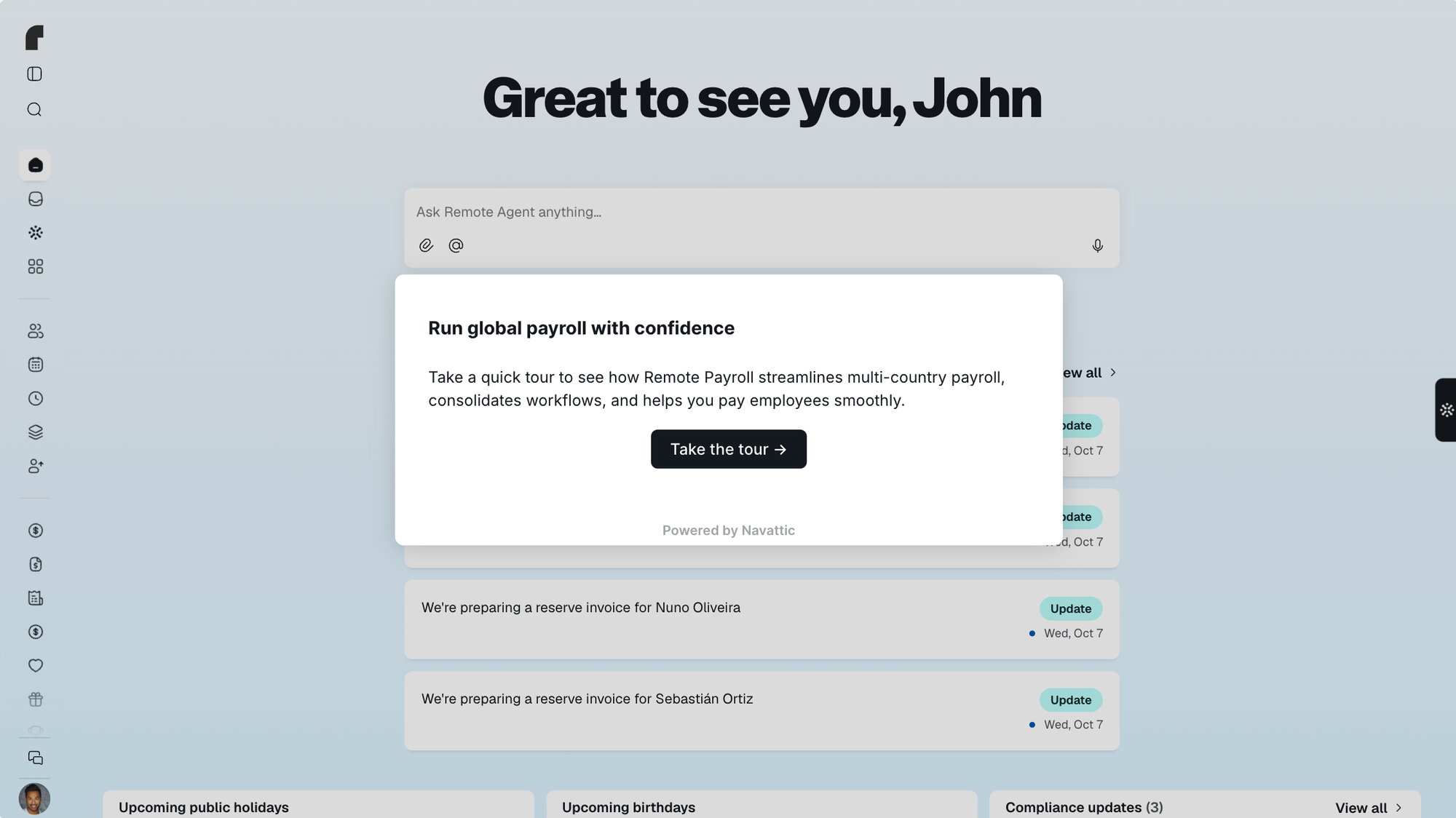
Remote, a global HR and payroll platform, embeds an ungated interactive demo directly on its Global Payroll product page.
Visitors can click through how Remote sets up and runs multi-country payroll without filling out a form. The tour is bite-sized and product-specific, so it works as a quick, hands-on introduction rather than a full sales demo.
If visitors want a deeper dive, Remote invites them to book a full demo. That is the point where it collects their information, after they have already seen the product.
Rodney Rasmussen, Senior Product Marketing Manager at Remote, explains: “Our primary use for interactive demos is on our website, particularly on different product pages. This allows us to showcase product details, appearances, usability, and highlight features and benefits at a high level. Additionally, we offer visitors the option to book a full demo if they're interested in a deeper dive.”
When to Gate (With Examples)
Gating is best for you if you:
- Need more high-quality leads for your sales team to nurture
- Have a more complex product
- Use interactive demo data to customize live demos
Gated Examples
Athennian
Demo centers are another ideal spot for product tours. Demo centers are online libraries of self-guided demos that showcase various aspects of a company's product.
Typically, each demo is focused on a particular buyer persona, use case, product feature or integration, so if prospects are already interested enough in your product to peruse your demo center, why not figure out which parts of the product or which specific product lines interest them the most?
That’s the approach Athennian, a platform that centralizes entity, subsidiary, and business data, has taken.
Once users fill out the form to access Athennian’s demo center, they gain access to several tours that provide a high-level overview of what the product does and the types of industries it can serve.

As users scroll down, they see even more tours based on the pain points they might experience in their day-to-day, things like managing equity, managing corporate compliance, and automation.
Some of these demos contain other CTAs to other, more in-depth tours. Other CTAs might push prospects toward booking a demo. Because users self-direct, Athennian’s product marketing team considers users who go through these demos product-qualified leads (PQLs).
Product Marketing Manager Sydney Lawson says, “When a user starts a product tour, they'll get a pretty high lead score because it shows intent that they actually want to dedicate time to look through the platform instead of just reading an ebook or a case study. It's like they're already qualified.”
All of the tours in Athennian’s demo center are hooked up to Slack, so the sales team gets a ping every time a prospect decides to book a demo through one of these tours and can know what features to bring up during a live demo.
Product Marketing Manager Sydney Lawson says, “When they're ready to talk to sales, they know what to expect in the demo. They already know that Athennian solves a pain point that they have. And sales is ready to have those conversations just based on the pathway that the user chooses.”
Airbase
Airbase, a spend management tool, takes a slightly different tack, showcasing multiple parts of its platform in one overall demo using a checklist.
Since they show so much functionality in their interactive demo, it makes more sense for them to gate it — it’s worth prospects giving up their email to see the full tour.
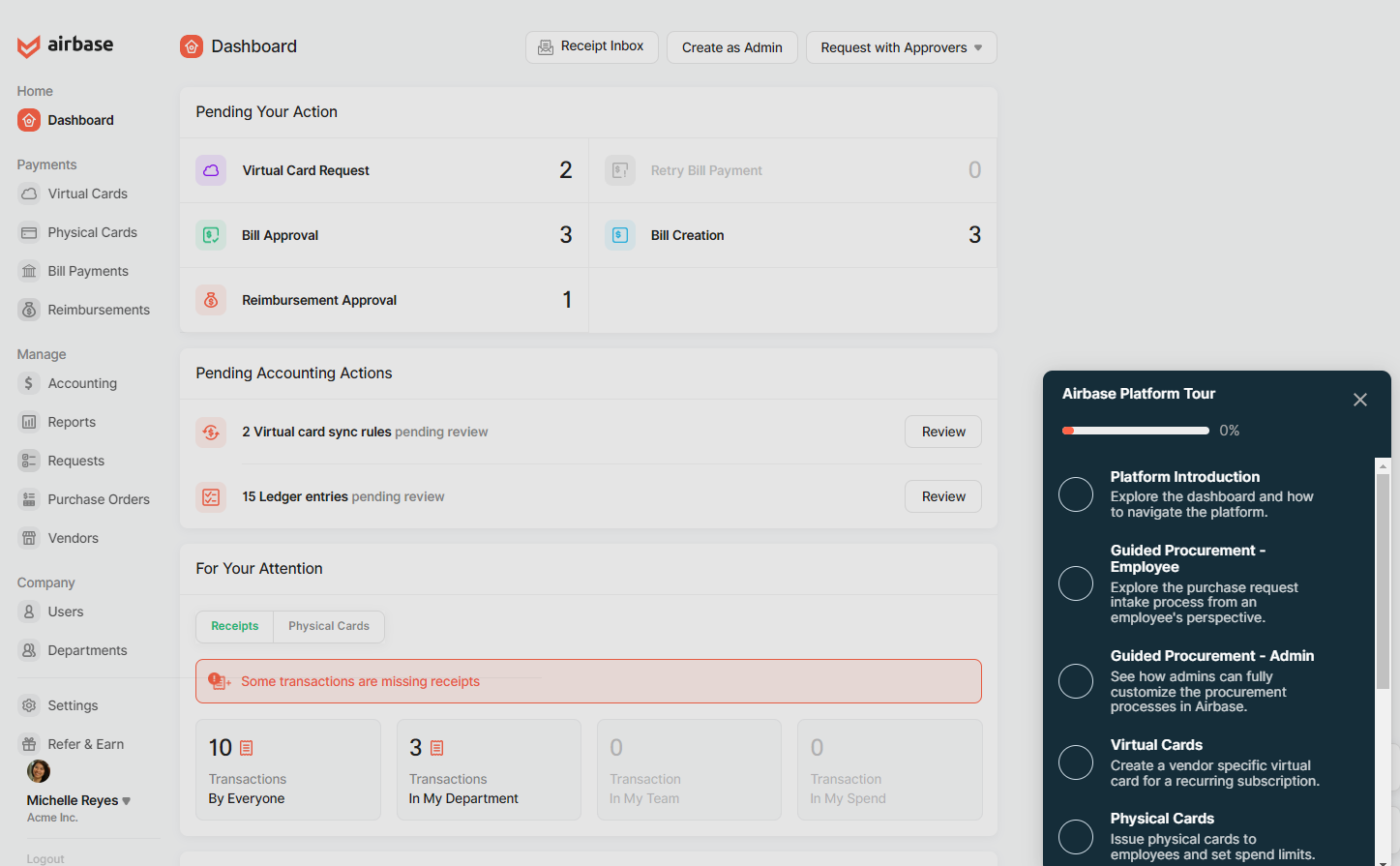
After filling in their name and email, Airbase prospects get to choose what they do next — get an introduction to the platform, learn about virtual cards, see how Airbase handles bill payments, or they can go through each part of the product in order of the checklist.
Again, this setup allows users to self-select, notifying the Airbase sales team what features resonate with prospects the most.
A happy medium
If you’re on the fence, a third option is to gate after a few demo steps to show more advanced functionality.
In the State of the Interactive Product Demo 2025 we found the most popular placement for a form was in the middle of the demo and that form placed in the middle had a 9.7% higher engagement rate than forms placed at the beginning.
That’s because you can wow users with several aha moments first, highlighting the value of your product before they have to hand over their name and email address.
Mid Demo Gate Example
HireVue
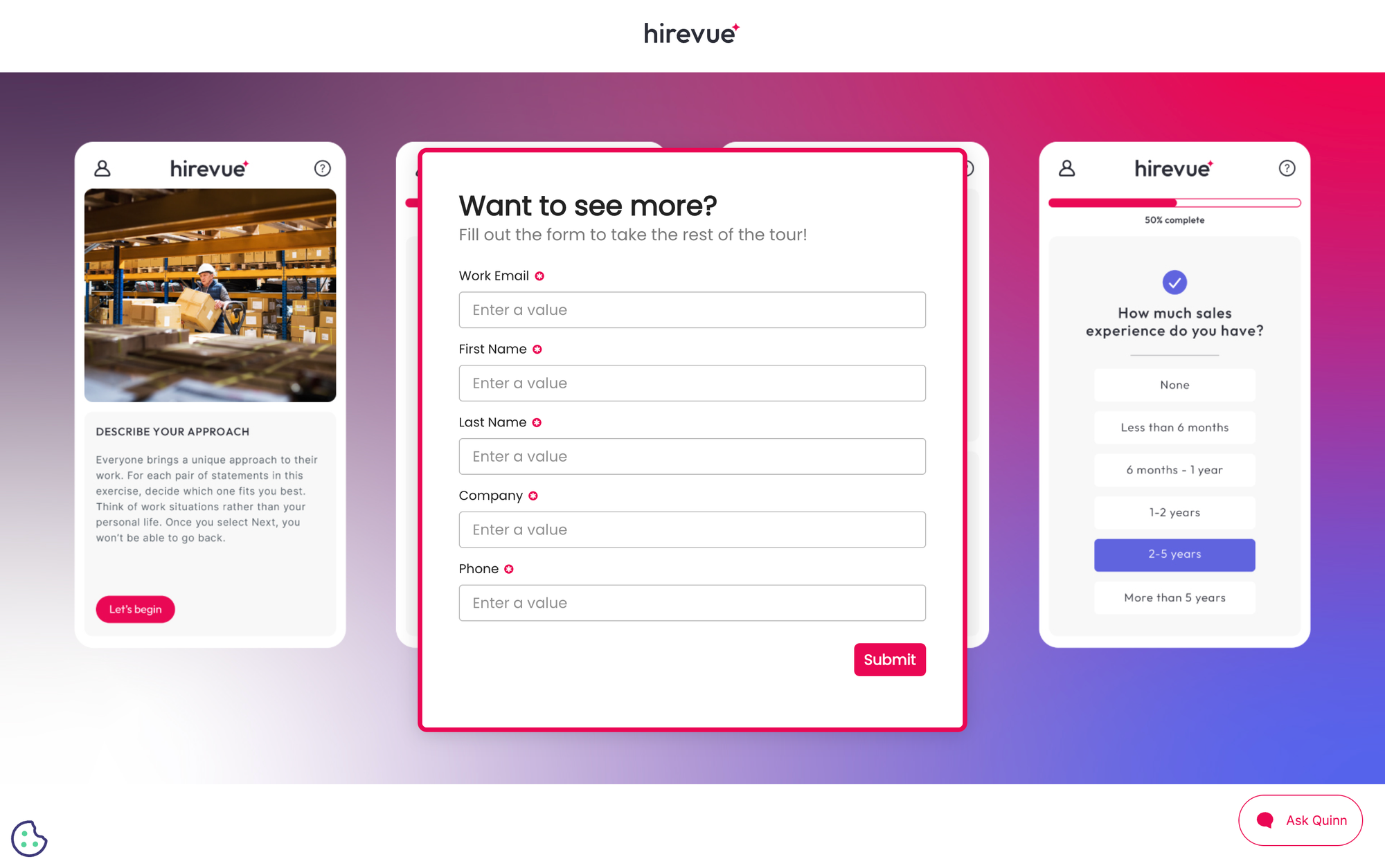
HireVue, an all-in-one platform for virtual interviewing, recruiting, and hiring, uses a mid-demo gate on its Recruiter Experience product tour.
The tour opens ungated, so visitors see how recruiters use HireVue before they are asked for anything. Once they have experienced the core value, a form appears to unlock the rest of the demo.
Placing the form partway through gives visitors time to explore first. And anyone who fills it out has already shown real intent, giving sales context on what they viewed before the first conversation.
Interactive demos are a fantastic way for prospects to get hands-on with your product — regardless of whether they’re gated or not.
And the use cases for interactive demos go far beyond email campaigns and website embeds.
Here are just a few more ways to leverage interactive demos to get your creative juices flowing:
Turn demos into deals.
Build interactive product demos that engage buyers and close deals faster.