6 Best Product Tour Software: Tested & Ranked by Real Users

Product tours are a great way to convert free trailers, educate existing users, and prime users for upsell. But they’re often confused with interactive walkthroughs.
Before we get into the meat of the article — our suggestions for top product tour tools — let’s set the record straight:
A product walkthrough is a form of product onboarding in which a user is guided through a series of predefined steps within a mobile or web app.
Each step explains what the product does and/or how it works.
An interactive product tour provides prospects and customers with a hands-on experience of your product.
Unlike product walkthroughs, interactive product tours are sharable replicas of your product (not within the product itself).
In this article, we're reviewing both types of software, but referring them collectively as “product tours.”
When to use product tour software
Product tours are ideal for:
1. Getting users unstuck
Some software can have a steep learning curve. Product tours hand-hold users every step of the way, reducing the chances of user frustration and increasing adoption.
In a product tour, you can also preemptively answer common questions and show off features users might not have found or thought to use on their own.
2. Guiding users through the setup process
Onboarding product tours can be especially helpful if your product’s configuration is time-consuming and complex.
With a product tour, users don’t have to sift through a bunch of documentation to figure out what to do or resort to trial and error. You point them in the right direction.
3. Highlighting new features or UI changes
Product tours explain why updates were made and what they mean for a user’s existing workflow. Giving users that information upfront makes them more likely to appreciate your enhancements and try new features out.
The best product tour software at a glance
Below, we outline what each tool does, who it’s best for, and the pros and cons are for each.
- Navattic for mid-market or enterprise companies to create interactive product tours across their entire GTM motion
- UserGuiding for in-app walkthroughs that personalize user onboarding
- Loom for quick, humanized video guides to showcase features
- Chameleon for A/B testing and optimizing in-product onboarding flows
- Appcues for building customizable product walkthroughs without code
- Arcade for easy screenshot-based demos with lightweight editing
To help you make the most informed decision about which presales tools your organization might benefit from most, we collected G2 reviews, scoured Reddit comments, and interviewed actual buyers who evaluated these platforms themselves.
Navattic
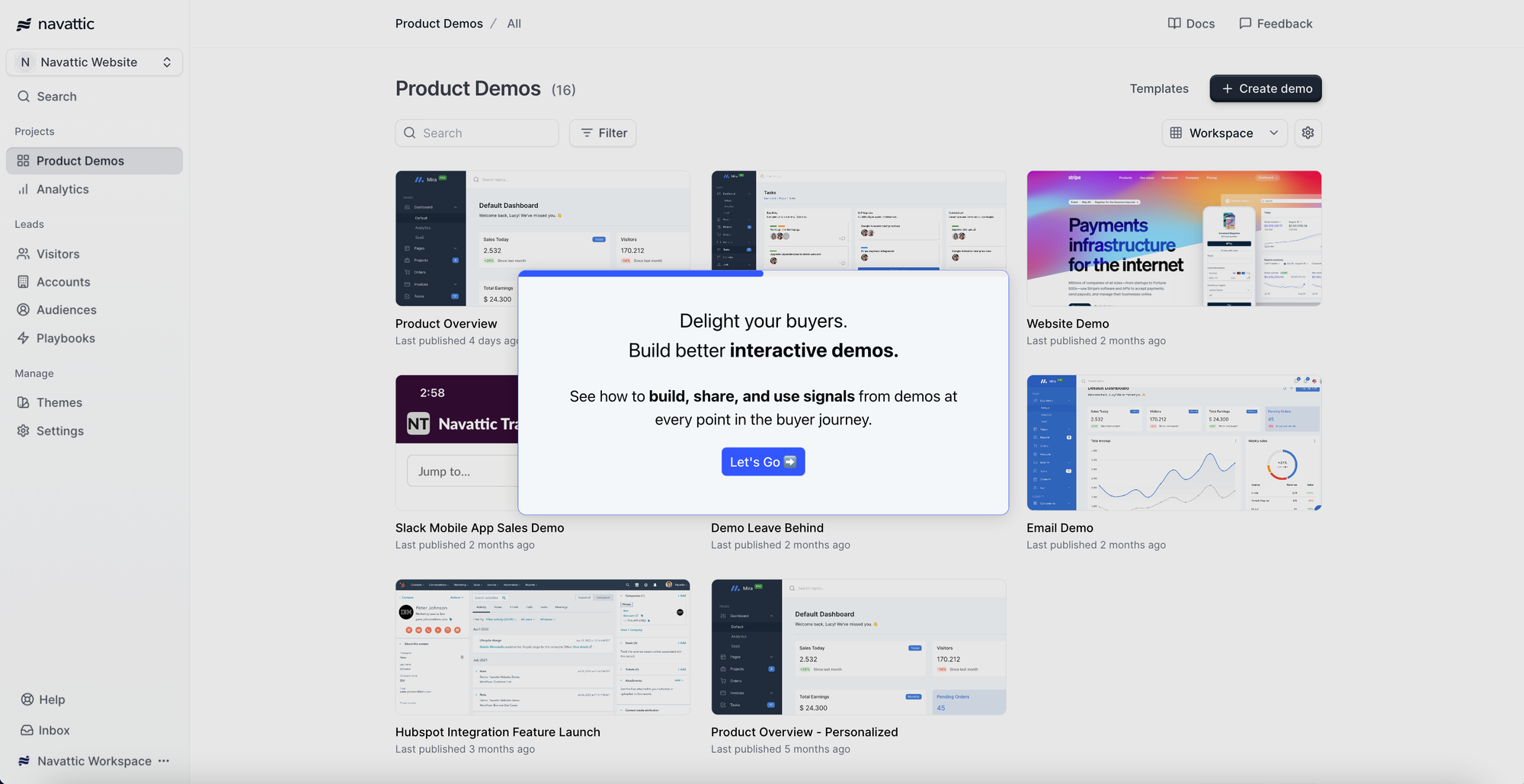
Try an interactive demo of Navattic
Navattic empowers any go-to-market team member to assemble a custom interactive demo with overlays, tooltips, and checklists.
Navattic’s customers add product tours to their homepage and product pages to get users to understand how their solution works and visualize it for their particular use case, ultimately speeding up the sales cycle.
Category: Product Tour
What users like
- Navattic demos can be used in marketing materials, sales outreach and leave-behinds, partner training, new feature launches, and customer onboarding. And you don’t even have to give users access to your product.
- You can create a demo using AI Copilot by just clicking through your product and then use pre-built use case prompts to adjust it to fit each customer or prospect’s unique needs.
- Navattic Engage monitors which target accounts are interacting with your product and how, giving you and your GTM team insights to use in outreach.
In a PMM’s call for product tour software on LinkedIn, Mili Dutta at Adobe, shared:
“I have used Navattic in the past to create interactive product experiences for our potential customers. It was more effective than a traditional product video from a user engagement perspective. I also liked that it could be put together faster than a video.”
On Reddit, topher_bailey mentioned he’d just started using Navattic and was “super impressed.” Redditor Galvanizd had similar commentary:

What users don’t like
- Navattic demos aren’t embedded in or a copy of your actual product (G2 Review), so you have to update tours as your product changes over time.
- They are guided, so users can only explore the preset paths you created.
Pricing
We have four pricing plans at Navattic, including a freemium plan:
- Starter: $0/mo, which gets you 1 seat, 1 demo (HTML or media), and unlimited demo views
- Base: $500/mo, which gets you 5 seats, unlimited HTML demos, Salesforce, Marketo, and 25+ integrations, account identification, sandbox demos, and A/B testing
- Growth: $1,000/mo, which gets you 10 seats, sales integrations (Gong, Salesloft, Outreach, and more), interest level demos, buyer circle discovery, demo translation, custom domains, and SSO and directory sync
- Enterprise: Talk to sales. This plan gets you offline demos, HTML capture translation, audit logs, priority support, and expert demo consultations.
UserGuiding
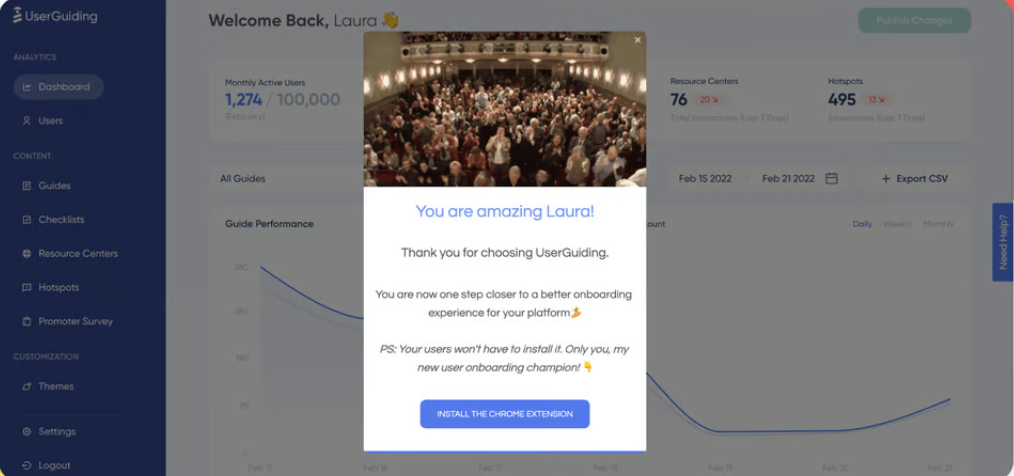
UserGuiding is a SaaS platform that onboards users by prompting the right in-app actions for their familiarity level. The no-code platform allows admins to track hotspots, add interactive manuals, and even send NPS surveys.
Category: Product Walkthrough
What users like
- Built-in segmentation features (G2 Review) and customizable templates to make product walkthroughs even more personalized.
- Spurs upsells and upgrades by ensuring the right users see the right thing at the right time.
What users don’t like
- Some users note that UserGuiding’s UI can be confusing (G2 Review) and that you may need CSS and HTML knowledge (G2 Review) to get UserGuiding running the way you want it to (Reddit).
- Users need access to your product to learn what it can do through UserGuiding.
Pricing
UserGuiding has four plans:
- Support essentials: $0/mo, which gets you access to the fundamental feature set as well as email and chat support.
- Starter: $174/mo, which gets you all adoption features plus an AI assistant, reporting, segmentation, and customizable in-app surveys.
- Growth: $349/mo, which gets you A/B testing, goal tracking, premium integrations, and custom CSS/localization.
- Enterprise: Talk to sales. This gets you fully customizable walkthroughs with CSS, coaching, SAML SSO, activity logs, and compliance support.
Loom
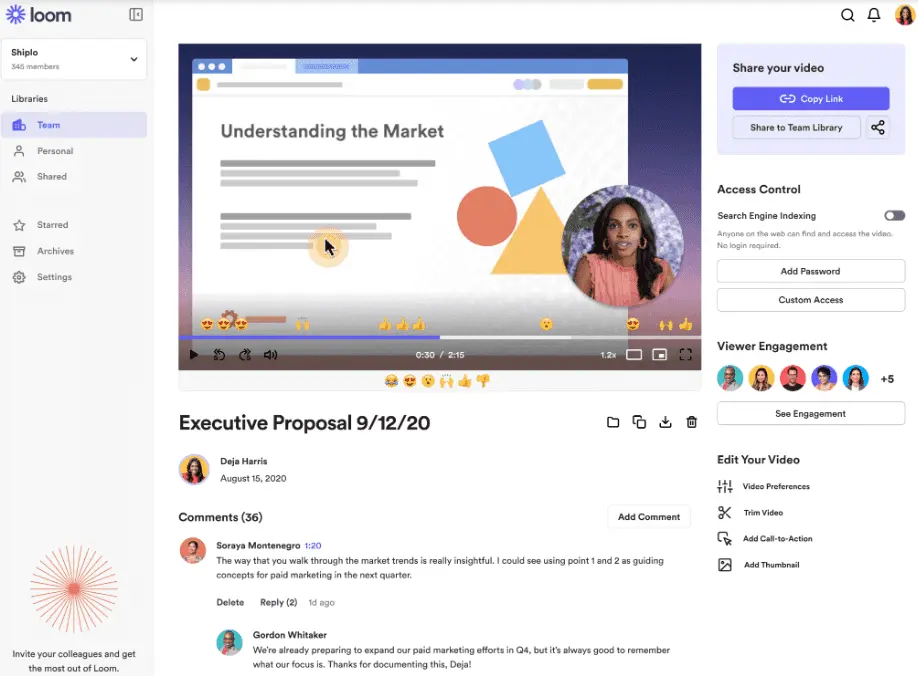
Loom is a free screen recorder that enables teams to create videos that showcase new features or refresh users’ memories of old ones. It also makes the learning process more exciting, with a friendly face guiding you through the product.
Category: Interactive Product Tour
What users like
- Creating a video is as easy as downloading a Chrome extension. Users can film themselves and anything they want to share on their computer screen in a matter of seconds.
- Loom users can point out specific features with overlays and text in the post-production process (G2 Review).
What users don’t like
- Loom videos aren’t interactive, so they don’t give users the feeling that they’re actually using your product.
- Editing Loom videos to show your product in an ideal light can take time away from talking to customers or creating other content to improve conversion and adoption.
Pricing
Loom has four pricing plans to choose from:
- Starter Plan: $0/mo, which gets you a 5-minute recording limit and 25 video limit.
- Business Plan: $12.50/creator/mo, which gets you unlimited recording time & storage.
- Business + AI Plan: $20/user/mo, which gets you Loom’s AI-powered enhancements like auto-video edits, advanced editing, meeting recaps, and video-to-text automation.
- Enterprise Plan: Priced per member account at a custom rate depending on volume. This plan gets you advanced admin & security features.
Chameleon
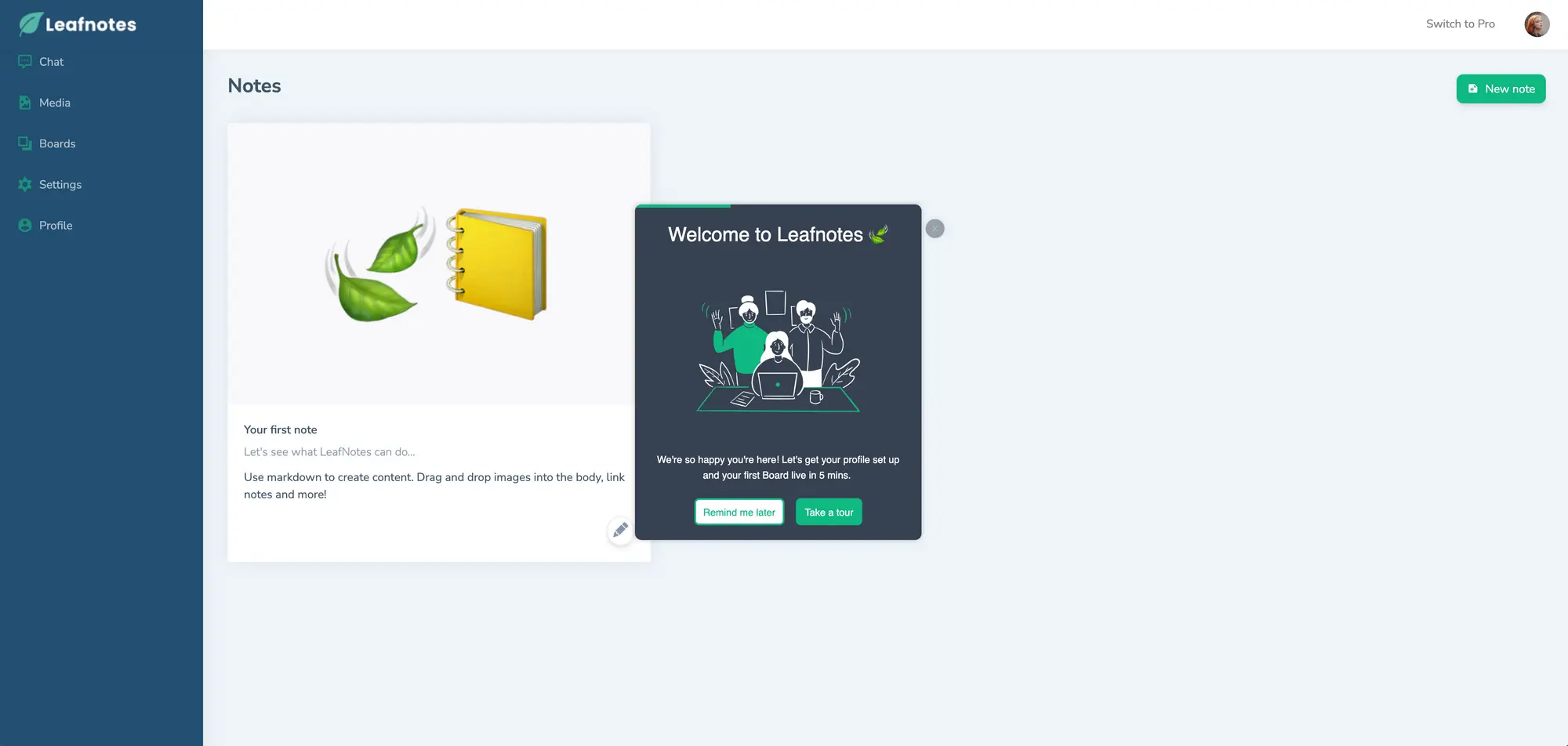
Chameleon is a product adoption platform that gives modern SaaS teams control over the user experience with in-product UX.
Category: Product Walkthrough
What users like
- Chameleon helps users provide better onboarding through all kinds of features: Tours, Tooltips, Launchers, Microsurveys, and a HelpBar — and all of them are configurable without developer support.
- Users can AB test and easily analyze Experience performance to help them iterate fast (G2 Review).
- Chameleon integrates with Navattic, enabling users to combine interactive demos and product walkthroughs.
What users don’t like
- While Chameleon does have some interactive demo functionality, their focus is on product walkthrough when users are already in your product.
- Customers complain about an “odd” UI/UX (G2 Review) and a difficult setup (G2 Review) for its native segments feature and Mixpanel integration.
Pricing
Chameleon has four pricing plans:
- Free: $0/mo, which gets you CMD+K search inside your product, native fonts, Help Center integrations, and AI answers to user questions.
- Startup: $279/mo, which gets you HelpBar with targeting, unlimited tours & tooltips, 5 microsurveys, 1 launcher, and custom CSS.
- Growth: $1,500/mo, which gets you A/B Testing, rate limiting, unlimited goals tracking, and customer success.
- Enterprise: Talk to sales. This gets you unlimited seats, roles and permissions, localization, account switching, and contract redlining.
Appcues
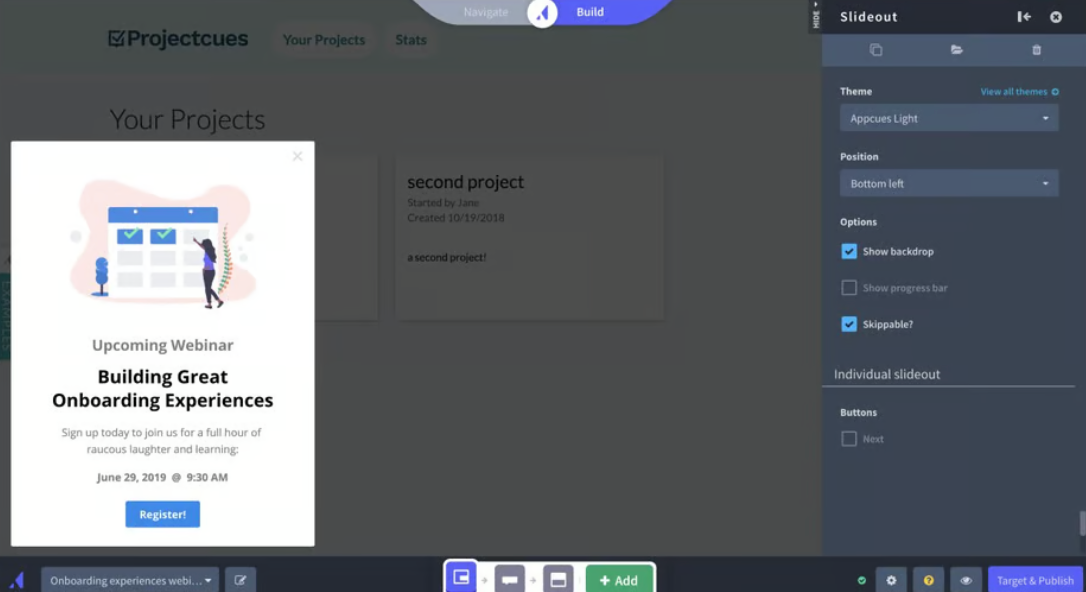
Appcues is a product walkthrough vendor that displays on desktop and mobile apps by installing an SDK or integrating with a CDP, such as Segment.
Appcues admins can build their own product walkthroughs and then measure in-app behaviors through the Appcues Studio application.
Category: Product Walkthrough
What users like
- Any Appcues user can build walkthroughs with slideouts, tooltips, and hotspots via a Google Chrome extension.
- Personalized flows and targeted checklists can guide new users straight to a-ha moments, decreasing the time it takes for them to get value from your product (G2 Review).
What users don’t like
- Users report a “wonky” editing interface (G2 Review) and unstable integrations to other tools like Salesforce (G2 Review).
- Reporting (G2 Review) and lack of clear documentation (G2 Review) seem to be other customer pain points.
- Redditor haphazardwizardofoz comments, “Setup requires technical skills, which can be challenging. And a red flag is that they themselves don’t use Appcues for their product tours.”
Pricing
Appcues has three pricing plans:
- Start: $300/mo, which gets you 5 user licenses, 50+ published experiences, flows and checklists, persistent icons and buttons, 5 audience segments, 10 Track Events, reporting and analysis, and email support.
- Grow: $750/mo, which gets you 15 user licenses, 100 published experiences, a resource center and NPS surveys, premium integrations, unlimited audience segments and Track Events, and customer success support.
- Enterprise: Talk to sales. This gets you unlimited team members, 150+ published experiences, advanced security and SLAs, roles and permissions, localization, premium support, and audit-ready activity logs.
Arcade
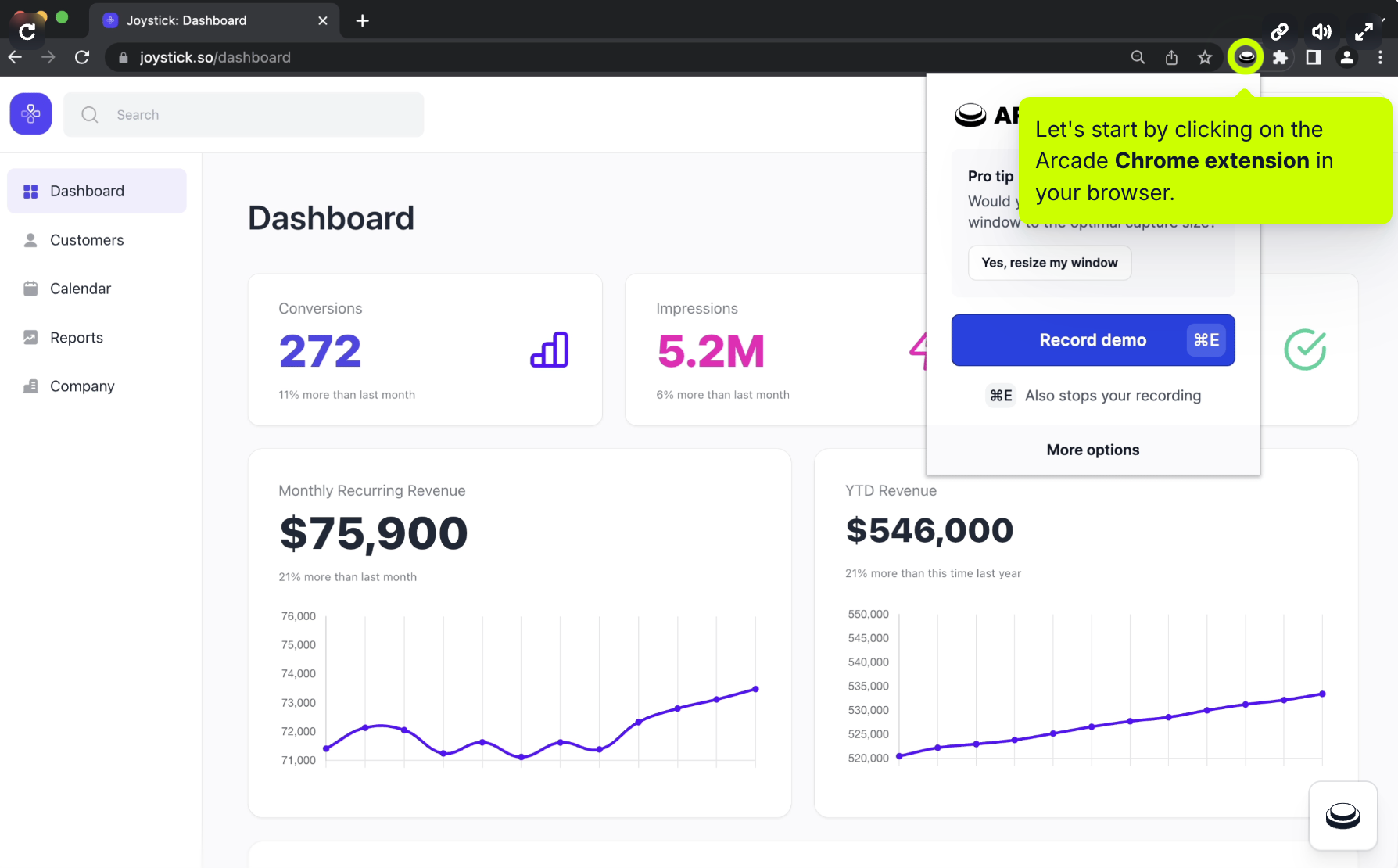
Arcade is a screenshot-driven demo software tool. Beyond capturing screenshots, Arcade admins can weave in video and audio clips they’ve captured through the product’s Chrome extension.
For an extra fee, users can trim, speed up, and edit their videos.
Category: Interactive product tour
What users like
- Ease of use.Taking screenshots and videos is quick and easy to do (G2 Review).
- You don’t have to worry about responsiveness or mobile availability.
What users don’t like
- Screenshots take time to capture and must be updated manually each time the product interface changes. Editing videos takes even longer.
- Per G2 users, Arcade doesn’t support HubSpot custom forms (G2 Review) and doesn’t have basic analytics data (G2 Review, G2 Review) on all paid plans.
- Arcade charges extra for editing and has seat-based pricing, making it tough for teams with limited budget to adopt.
Pricing
Arcade has 3 paid plans and one free plan:
- Free: $0/mo, which gets you 3 published Arcades, chapters, background music, synthetic voiceover, and camera recording.
- Pro: $38/mo, which gets you unlimited Arcades without a watermark, basic insights, video editing, GIF & MP4 export, and support.
- Growth: $50/mo per user, which gets you collaboration tools, custom branding, advanced insights, branching, integrations, and AI translations.
- Enterprise: Talk to sales. This gets you version history, role-based access control, SSO, a dedicated CSM with Slack, and custom domains.
Why teams are switching to Navattic
Need help deciding? Here’s why customers chose Navattic over other product tour software.
MoEngage
"We evaluated several tools in the market including Navattic and Storylane.
We primarily evaluated ease of use, integrations with Segment and Hubspot, and demo engagement analytics.
The time-to-launch was very quick and customer success was paramount to building my learning of the Navattic platform as well as industry best practices (e.g., What are the other benchmarks other companies are utilizing? And what about the distribution efforts?).
There are many interactive demo tools in the market today, a major key to our success with Navattic is their customer success."
Read the full MoEngage Case Study
Qualio
"We consider the product capabilities, price, and support that we get. We also evaluated Reprise but it had things that weren’t necessary for us at that time.
We felt supported by the Navattic team throughout the sales process and liked the idea of using a software we could evolve with.
Over time, it’s become clear that Navattic prioritizes customer feedback and cares about our outcomes."
Read the full Qualio Case Study
Spot AI
"First of all, Navattic was recommended by a trusted advisor of ours who had previously used the product at another organization.
Next, Navattic has great customer service. When you have great customer service, there is no need to look elsewhere.
The specific example that comes to mind was at the beginning of our tenure, where the Navattic team worked in partnership alongside us to help deploy our first embedded demo. That support was vital to our long-term success."
Read the full Spot AI Case Study
Sign up for a Navattic account to make your first product tour for free.
Turn demos into deals.
Build interactive product demos that engage buyers and close deals faster.